
The most powerful side-cart plugin for WooCommerce
Stop leaving money in the cart. Caddy drives cart conversions, lifts order value, and grows lifetime value.
- 14-Day Money-Back Guarantee
- Supported by Verified WooExperts
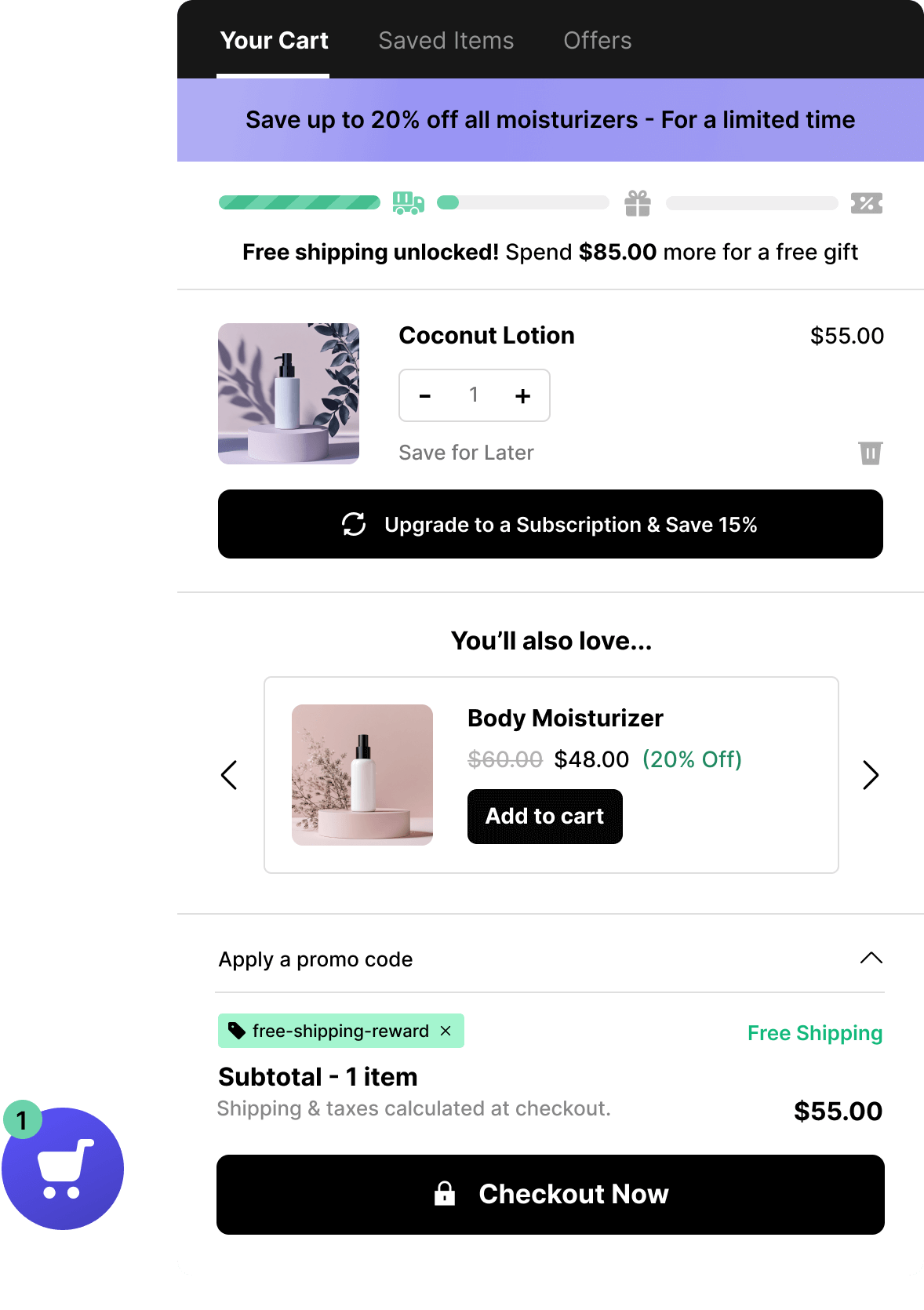























Your WooCommerce shopping cart is leaking revenue, right now
Nearly 7 out of 10 customers leave without completing their purchase, and studies show businesses lose an estimated $18 billion a year to abandoned carts. Friction in checkout, surprise fees, and missed upsell moments are some of the biggest culprits. If your cart isn't addressing these issues, you're likely losing revenue every single day.
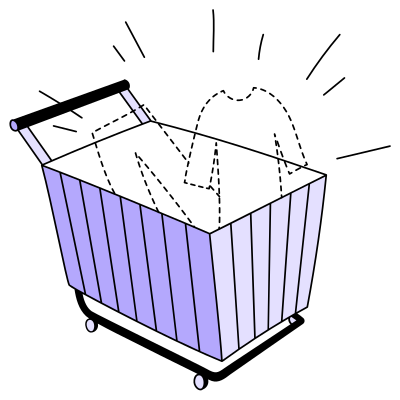

Caddy turns your cart into a sales machine
Here's why store owners, marketers, and developers reach for Caddy to turn their WooCommerce cart into a sales machine.
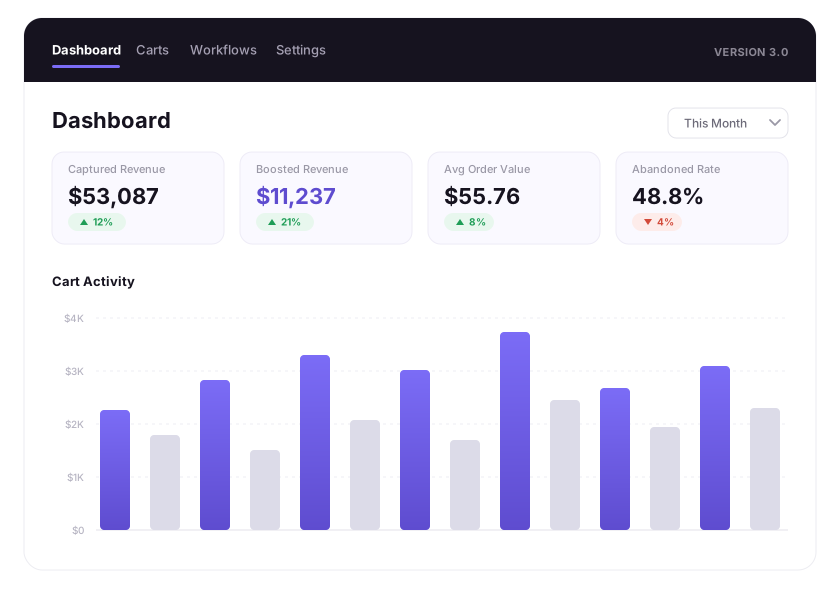
Uncover insights on your customers' carts
Understanding shopping behavior is key to increasing conversions. With Carts Tracking you can monitor real-time cart activity, including abandoned carts and active sessions, so you can identify ways to recover lost sales.
- Track in-cart Caddy conversions
- See what users are adding to carts
- Uncover cart abandonment issues
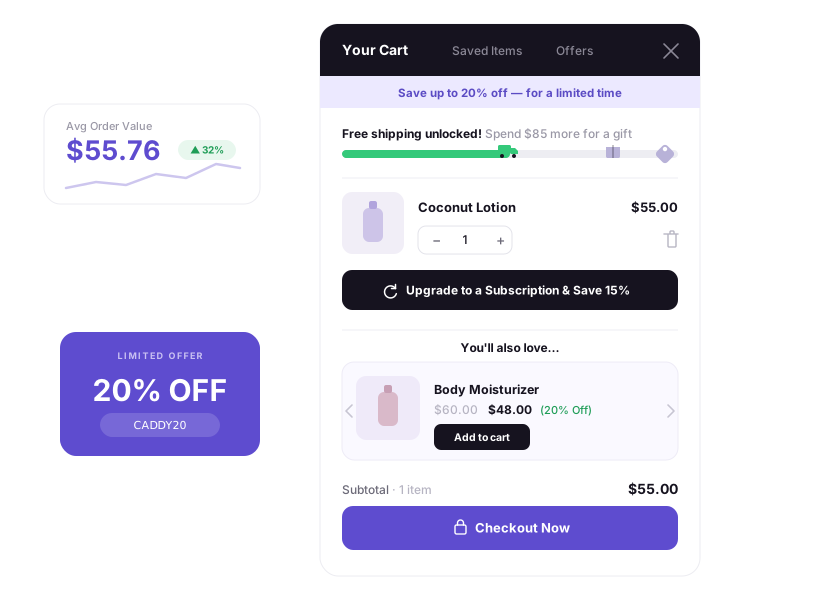
Incentivize shoppers to spend more
Encourage shoppers to buy more with targeted, in-cart mechanisms that grow average order value:
- In-cart upsell & cross-sell product recommendations
- Free shipping, free gifts, and discounts on spend thresholds
- Subscription upsells
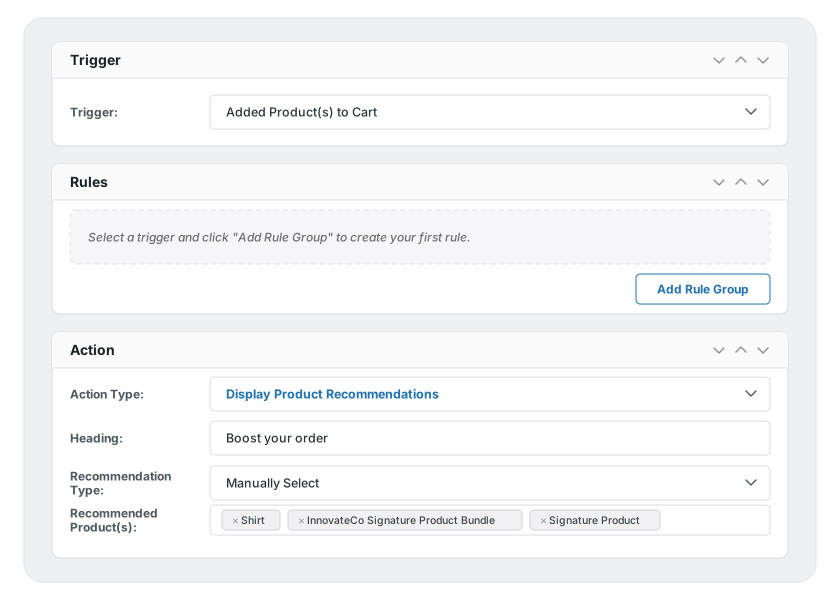
Create powerful cart automation workflows
Automation meets personalization with Workflows — customizable rules that let you:
- Trigger product recommendations tailored to customer behavior
- Display Caddy popups at the perfect moment
- Auto-apply coupons based on specific conditions
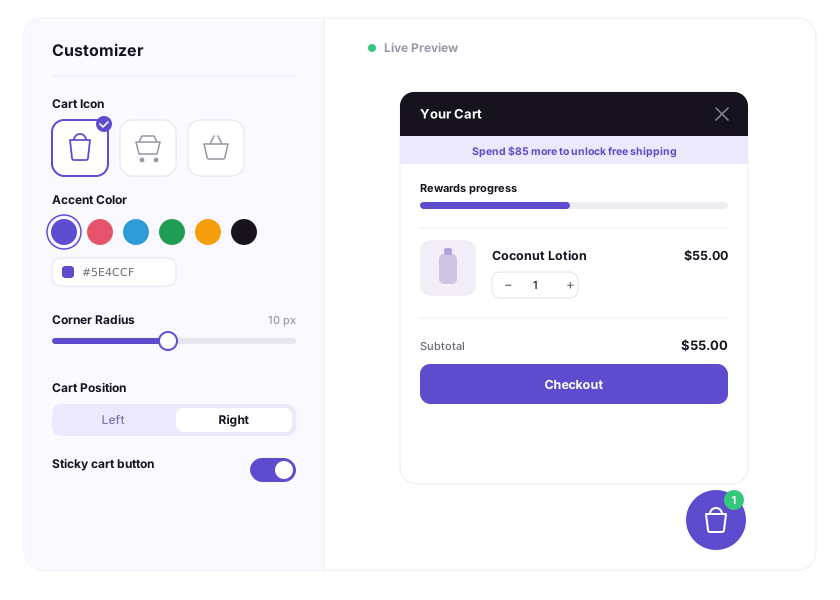
Customize your cart to match your theme
Want Caddy to match your store's branding perfectly? With the Customizer integration you can change the entire look and feel of Caddy in the visual editor — no coding required.
- Customize cart icons
- Customize cart colors
- Add custom content with developer hooks
Everything your cart's been missing
Caddy is packed with powerful features to enhance your customer's shopping experience and maximize your sales.

Sticky Ajax Cart
Persistent cart display that follows customers as they browse for easy access to cart contents and checkout.

Cart Analytics
Comprehensive analytics dashboard for monitoring cart performance and managing settings.

Product Recommendations
Show personalized upsell & cross-sell suggestions based on cart contents and customer behavior.

Multi-Tier Rewards Meter
Provide three tiers of reward options to shoppers based on the amount they spend.

Carts Tracking
View and manage all customer carts from the Caddy admin interface.

Cart Conversion Tracking
Monitor and analyze cart abandonment rates and conversion metrics.

Style Customizer
Customize the appearance of cart elements to match your store's design.

Workflows
Create sophisticated automation rules based on cart events, customer behavior, and store conditions.

Cart Notices
Display targeted messages and promotions to customers based on cart contents and behavior.

Save for Later
Transform casual browsing into future purchases by allowing customers to save items for later.
Subscription Upgrades
Show product subscription upgrade options right in the cart
Announcement Bar
Display an in-cart announcement bar that appears at the top of the Caddy cart
What our users say
Frequently Asked Questions
Do you have a multisite license?
Although Caddy does work in a multisite environment, we don't provide multisite licenses quite yet.
Can I translate Caddy?
Absolutely! Caddy is fully translation-ready — check the documentation for instructions.
What's your refund policy?
We're sure you'll love Caddy, but if for some chance you don't, you can ask for a full refund within 14 days of purchase.
Do you have an affiliate program?
Yes we do! Head over to Become an Affiliate for more info.
Do you have a changelog?
Yes, you can view it here.
Will Caddy slow down my site?
No — we've built Caddy with performance in mind and have fine-tuned it for speed.
Upgrade your WooCommerce shopping cart today
By upgrading to Caddy, you'll create a smoother, more engaging experience that turns browsers into buyers. Don't let your cart hold your store back.
- 14-Day Money-Back Guarantee
- Supported by Verified WooExperts